

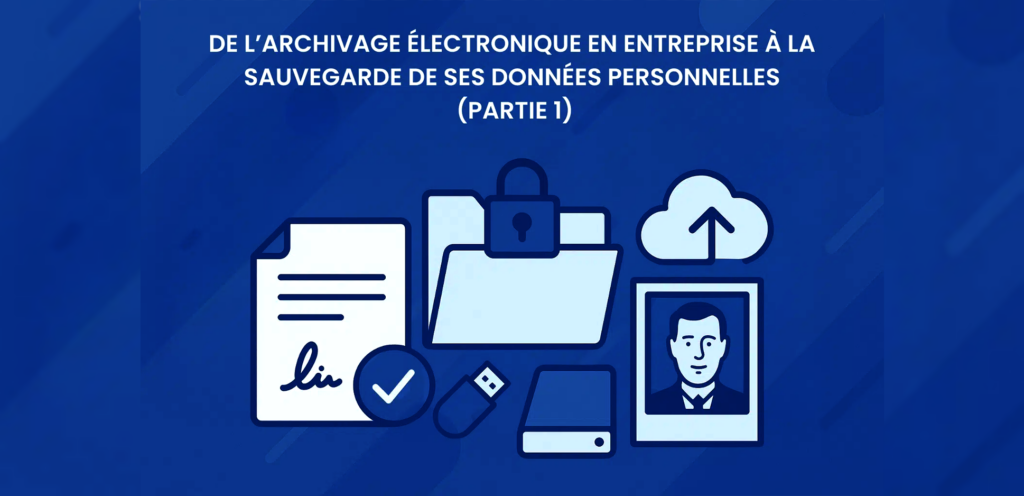
It can’t be said enough backup and archiving are not the same thing (source). At first glance, comparing legal electronic archiving performed by companies for compliance purposes with personal data backup storing family photos or videos may seem odd. Yet experience in both worlds reveals key similarities worth exploring. Let’s look at some useful lessons that apply to both professional and personal data preservation.
Archiving Important Documents… with Limited Resources
Just as a business distinguishes between documents with different legal or economic weight, each of us also owns digital materials of varying importance:
-
Administrative value, such as tax records, diplomas, or pay slips.
-
Emotional value, such as family photos and videos.
For many people, collecting and curating family memories over the years only to lose them suddenly to a hard drive crash would be devastating.
Interestingly, much like in a business, one person in a household is often responsible for managing not only their own records but also those of family members. That dynamic introduces delegated responsibility similar to a company’s archiving department.
These parallels make it worthwhile to take time to design a coherent personal backup “strategy,” along with a realistic monthly budget. Should you invest €5 per month? €20? The approach will depend on available resources, requiring trade-offs between cost, convenience, and security.
Before You Archive, You Must Sort
The first step is deciding what to save:
-
Define the categories photos, videos, administrative or professional documents, and perhaps less obvious items like emails, text messages, bookmarks, and voice messages. Write down every category you want to preserve; it helps track what has already been backed up.
-
Be selective. Keeping too many items increases storage costs, extends backup times, and even adds environmental impact. More importantly, an excess of materials can “bury” the items you actually care about the ones you’d want your descendants to discover standing out.
Some good rules for excluding files include:
-
The content is non-personal or publicly available elsewhere (manuals, recipes, online videos).
-
The file is a draft or duplicate keep only the final version.
-
The quality is poor blurry photos or low-resolution videos. A helpful guide for selecting strong images can be found here.
Choosing the Right Storage: Local and Cloud
When designing a storage policy, the number and type of data copies are crucial. The most common rule is the “3-2-1 principle,” coined by photographer Peter Krogh: keep 3 copies of your data on 2 different types of media, with 1 stored off-site.
The off-site copy matters most. A local backup won’t help if your home experiences a fire or flood. A simple solution might be storing an external drive or USB stick with a trusted family member just ensure it’s properly protected.
A hybrid model combining local and cloud storage often offers the best resilience. If your cloud provider suffers a data loss, your physical copy is safe; if your laptop is stolen, the cloud copy saves the day.
The mathematical benefit of redundancy can be striking. Suppose a disk has a 1% failure rate and two backups each have a 2% chance of failure; the probability of total data loss drops to approximately 0.0004%, or 99.9996% reliability, compared to just 99% with a single drive (see Probability and Statistics for Computer Scientists, Michael Baron).
The Question of Data Integrity
At the heart of archiving lies data integrity ensuring information remains exactly as it was created, byte for byte.
For this reason, using a digital safe a secured online vault for your documents is a good option. Such services guarantee file integrity over time. However, realistically, storing hundreds of gigabytes of photos and videos this way is financially impractical for most individuals.
Cloud storage providers, by contrast, prioritize convenience. For example, Google Photos makes it easy to organize and browse images, while others like AWS provide affordable storage with fewer extras. But beware: these services generally offer no guarantee of file integrity.
Photos, in particular, may be compressed automatically. By default, many Android devices upload “reduced-quality” photos to Google Photos to save space a subtle compromise often hidden behind vague recommendations for “images above 16 MP.” At this point, most modern smartphones exceed that resolution, meaning compression is nearly inevitable unless explicitly disabled.
Finally, while cloud storage costs scale with usage, providers don’t always make it easy to predict expenses, especially when changes in hardware (like a higher-resolution phone camera) lead to larger file sizes and rapidly growing storage costs.
Reversibility: Avoiding Vendor Lock-In
Whether you use a digital safe or basic cloud service, reversibility the ease of retrieving all your data is critical. Can you download your entire archive with a single command? Many platforms intentionally make this difficult, keeping users dependent on their ecosystems.
Take Google’s Takeout feature. Despite allowing bulk downloads, it’s widely regarded as cumbersome and time-consuming (especially without a high-speed internet connection). Yet to Google’s credit, the exported data remains in a clear, usable format raw files accompanied by metadata folders which makes the process more transparent than it might be elsewhere.
Coming Up Next
In the next part of this series, we’ll explore additional key principles to consider: storage migration, retention duration, metadata importance, and format sustainability.
In the meantime, consider how these recommendations fit your own habits, and feel free to adapt them as part of your personal archiving and backup plan.